Test Digital LOTO
For Yourself!
Test-drive our hardware and the Nyckel platform firsthand. Reserve a Sample Kit to pick up at NSC (Indiana Convention Center, Booth #3814) and evaluate our demo plastic lock, SmartTags, and a 3-month sample license to the Nyckel Application.
Smartlox Sample Kit
The fastest way to validate Digital Lockout-Tagout for your facility's EHS and management team. Reserve yours for pick-up at Indiana Convention Center, Booth #3814!
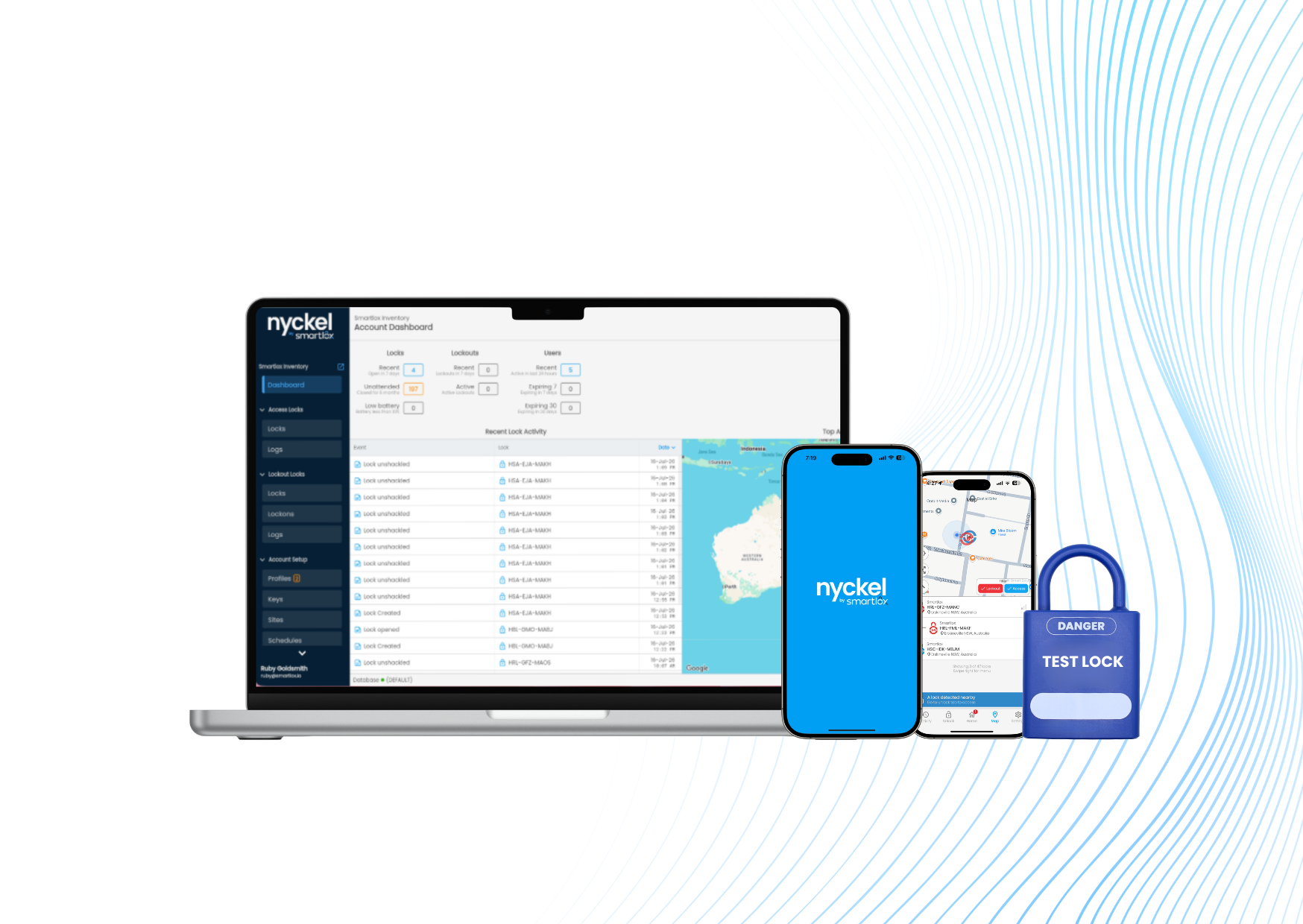
Evaluation Kit Ready
Indiana Convention Center • Booth #3814
Your kit gives you everything needed to test both the physical locks and the software application:
Demo Plastic Lock
Physical tester lock to inspect size and locking features.
*Note: Test lock is for demonstration/ validation purposes only. It is not for use on hazardous energy isolations.
Industrial SmartTag
Heavy-duty, weather-resistant tag scanned for instant equipment identification and asset lookup.
3-Month Nyckel License
Full trial access to the Nyckel Mobile App for testing the Digital LOTO features.
Dedicated Customer Support
Direct assistance from our team to guide testing, onboarding, and team questions.
Risk-Free Desk Evaluation
Test the physical hardware and software workflow with your safety leadership before committing to a larger facility pilot or site deployment.
Reserve Your Sample Kit for Pick-Up at Booth #3814
Fill out your details below to reserve your evaluation hardware kit and 3-month Nyckel app license for pickup at Booth #3814 (Indiana Convention Center) during NSC.
Prefer to speak with an engineer first?
Book Discovery Call InsteadStep-by-Step Guide to Using Your Kit
Get up and running with the Nyckel App in less than two minutes.
Download the Nyckel App
Install the Nyckel app from either the Apple App Store or Google Play Store.
Enter Mobile Number
Type in your mobile number to initiate secure account verification.
Select Continue
Tap continue to instantly request your automated SMS verification passcode.
Enter Verification Code
Input the verification code sent directly to your phone via SMS message.
Enter Your Name
Provide your full name to set up your sample profile in the platform.
Press Continue
Click continue to finalize account setup and launch your workspace.
Explore Full Nyckel Features!
Ready To TestYou now have full access to test Digital LOTO, scan SmartTags, and manage lockouts on the Nyckel Platform.
Scale From Sample Kit to Pilot or Plant-Wide Safety
Once you evaluate the kit, upgrade to our heavy-duty Bluetooth padlocks, Pelican storage cases, unlimited site users, and dedicated implementation support.
Explore Pricing